


6+

Vue complète
Articles similaires
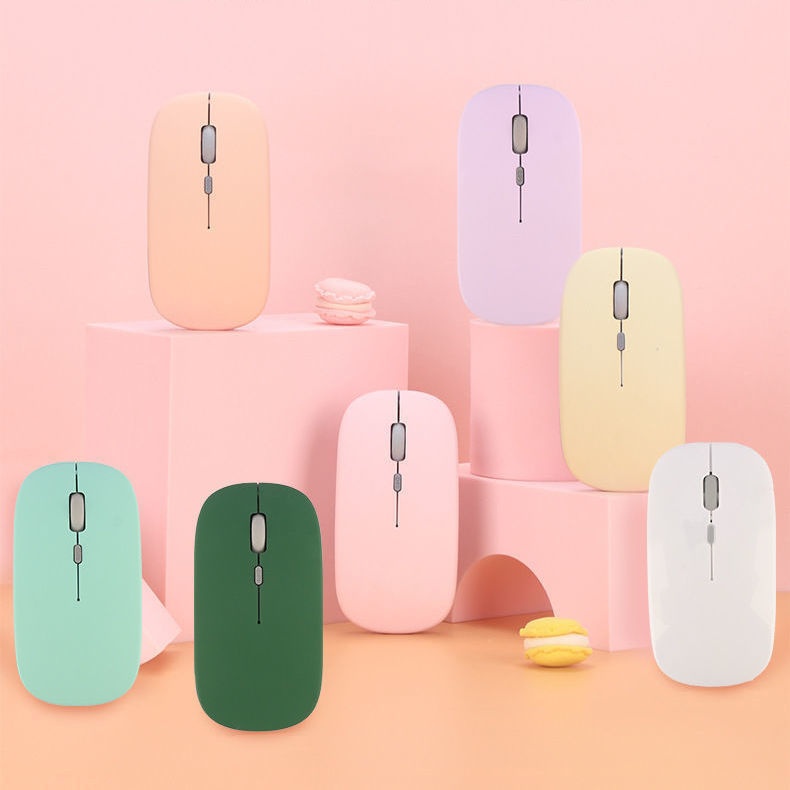
Souris Bluetooth sans fil double mode Digitex compatible avec les téléphones portables, les iPads, les ordinateurs portables, les ordinateurs de bureau et les claviers silencieux
15,07€20,84€
Couleur : Modèle de batterie Bluetooth noir


Quantité :
 Customer Service
Rapport
Inclure la violation du droit d'auteurLivraison standard gratuite. Voir les détails
Estimé entre Mon, May 11 et Sat, May 16
Vous pouvez retourner le produit dans les 30 jours suivant sa réception. Voir les détails
Achetez en toute confiance

Garantie de remboursement
Récupérez l'article que vous avez commandé ou soyez remboursé. Apprendre encore plus
À propos de cet article
Issu de Digitex
Le vendeur assume l'entière responsabilité de cette annonce.Numéro d'article: 32956852
Caractéristiques des articles
Fonctionnalités
Lumière mixte, lumière unique, mat
Axe
Axe optique, axe vert, axe thé
Clavier numérique
Non Oui
Raccordement
Bluetooth
Taille
100Mm-120Mm, 121Mm-130Mm, <100Mm
Description de l'article par le vendeur
If the phone cannot find Bluetooth because it does not support 5.0, the solution is to press and hold the DPI green light until it changes from fast flashing to slow flashing after powering on, then switch directly back to 3.0
1. The battery-powered Bluetooth mouse does not include a receiver and is shipped without batteries: it supports smart Bluetooth phones and tablets of any model or brand, with an iPad system requirement of IOS13 or higher. Only compatible with Windows systems running Windows 10 or above for Bluetooth use, or purchase dual-mode for universal compatibility!
2. Rechargeable Dual-Mode Bluetooth Mouse with Receiver, Rechargeable Bluetooth Connection, Also USB Wireless Connection! Compatible with Any Mobile Phone, Tablet, Desktop Computer!
Rechargeable version: Remove the receiver, plug it into the computer USB port, approach the receiver and turn on the switch at the bottom of the mouse. Wait a few seconds; the bottom light flashes, indicating successful connection.If there are any issues, please try reconnecting the receiver and turning the mouse on and off until the connection is successful
Bluetooth Version: Turn the switch on the bottom of the mouse to the Bluetooth position. At this time, the mouse light will flash in a waiting state for connection. Turn on the Bluetooth function of your device and search for 'BT5.2 MOUSE' or 'BT 3.0 MOUSE'. Choose either one to connect. If you encounter any issues, you can press and hold the DPI button for 5 seconds until the mouse light changes to a flashing waiting state for connection, then search for connection again


Recherches associées
support et banc pour claviersupport de clavier réglableensemble de touches animeRepose-poignets pour clavier 75 %support de clavier de bureautouche Échap personnaliséesupport de table pour clavierkit de nettoyage de clavierclavier HPsupport de clavier pliablesupport pour clavier mécaniquesupport double pour clavierRepose-poignets ergonomique pour clavierbrosse de nettoyage pour clavier d'ordinateurrepose-poignets pour clavier divisé
 4.4 sur 5 sur la base de 9,249 avis